> ## Documentation Index
> Fetch the complete documentation index at: https://ubicloud-00f14c0d-dependabot-github-actions-actions-checkou-0.mintlify.site/llms.txt
> Use this file to discover all available pages before exploring further.
# Overview
Ubicloud PostgreSQL handles backups, high availability,
health monitoring, and many other aspects of managing a database for you, so
that you can focus on your application.
With Ubicloud PostgreSQL you will get the following benefits depending on the context.
* [9x price-performance](https://www.ubicloud.com/blog/time-to-rethink-postgresql-storage) than comparable public cloud solutions
* Available on Hetzner data centers
* Open source, if you choose to manage Ubicloud Managed PostgreSQL yourself
## Create managed PostgreSQL
**Navigate to PostgreSQL Service:** From the left menu on the dashboard, select the "PostgreSQL" option.
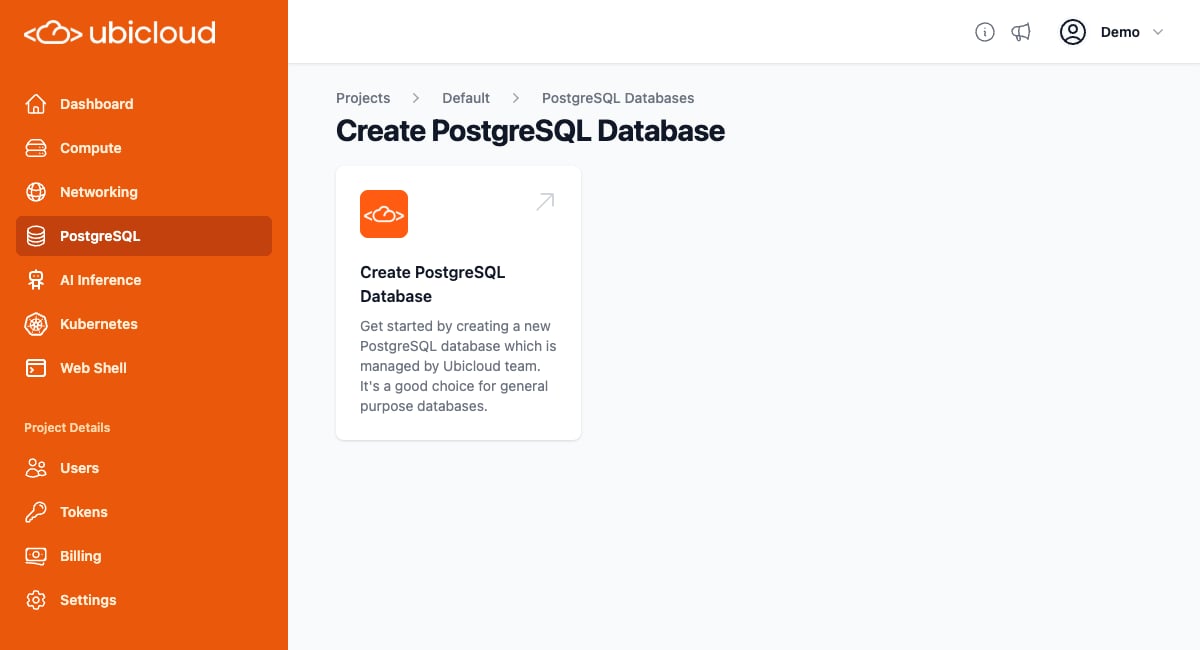 **Create PostgreSQL Database:** Click on the "+ New PostgreSQL database" button. This will take you to a new page where you can select the instance type based on your needs.
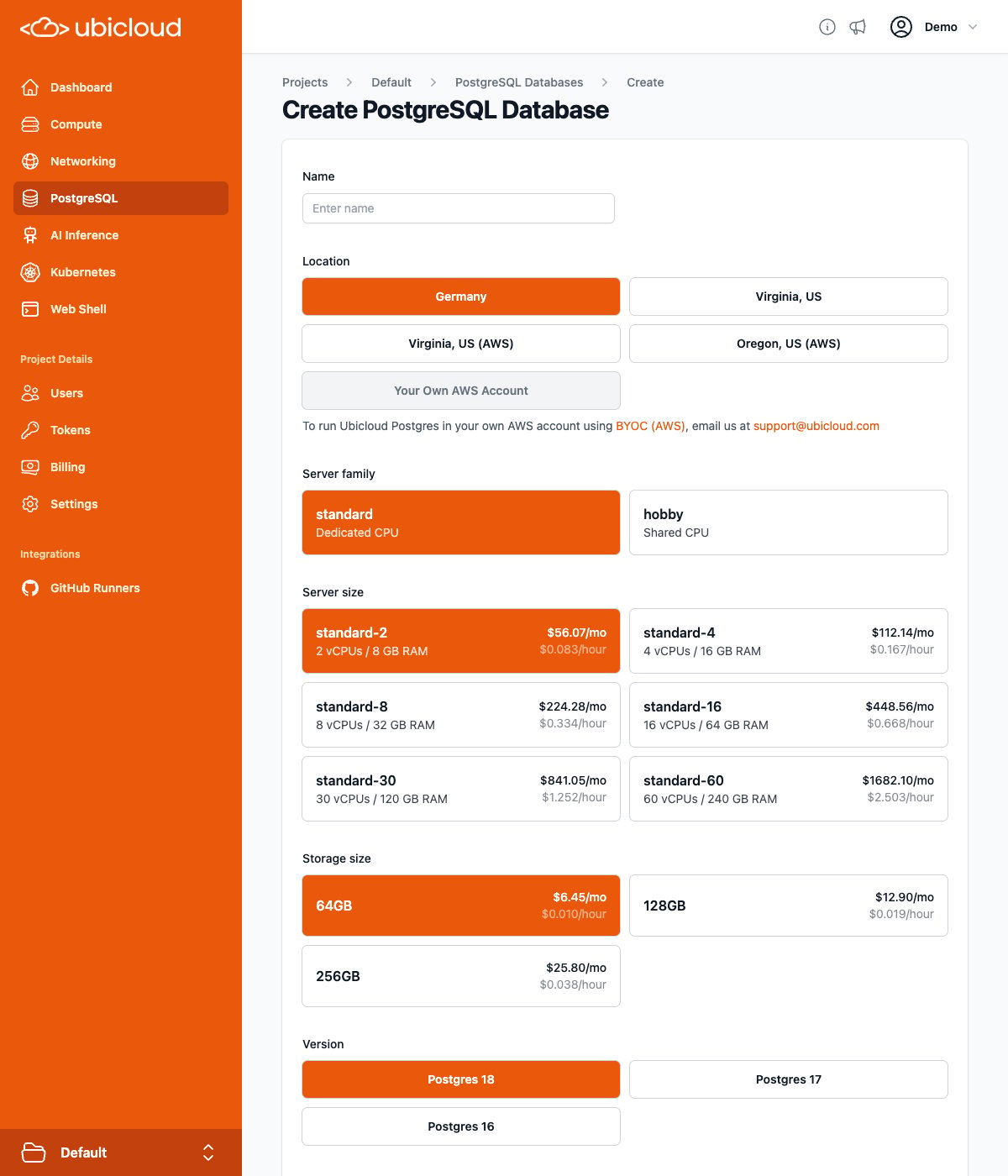 **Instance Configuration:** Type the desired database server name and choose the desired instance type. You don't need to set anything else. A secure password will be automatically generated.
**Instance Creation:** After selecting the instance type, click the "Create" button. Your managed PostgreSQL instance will be set up and ready for use in a few minutes.
## Instance overview
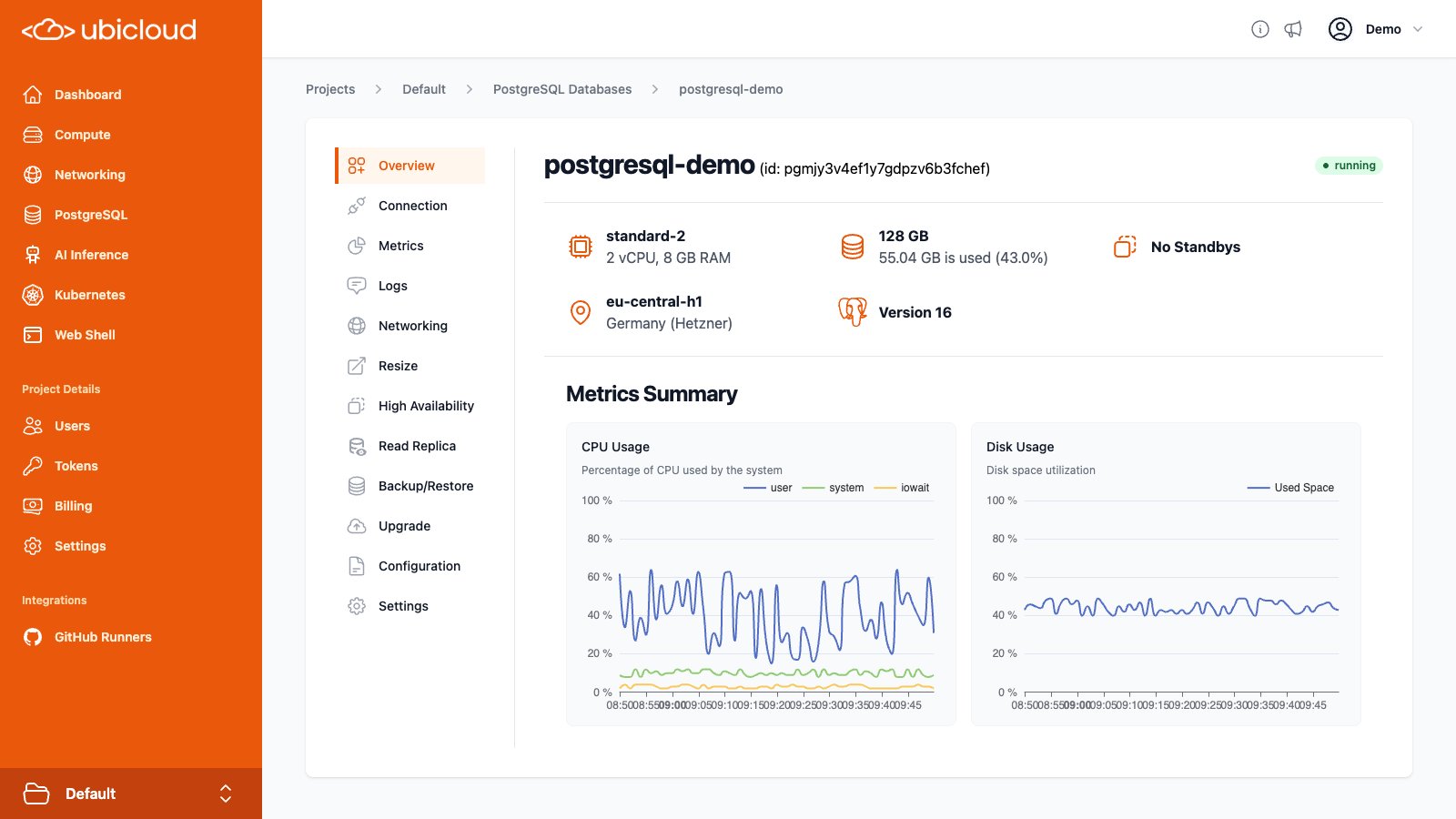
The Instance overview page shows the status of your PostgreSQL instance,
including the instance type, location, HA configuration along with a summary of
the CPU and disk usage metrics.
**Instance Configuration:** Type the desired database server name and choose the desired instance type. You don't need to set anything else. A secure password will be automatically generated.
**Instance Creation:** After selecting the instance type, click the "Create" button. Your managed PostgreSQL instance will be set up and ready for use in a few minutes.
## Instance overview
The Instance overview page shows the status of your PostgreSQL instance,
including the instance type, location, HA configuration along with a summary of
the CPU and disk usage metrics.