> ## Documentation Index
> Fetch the complete documentation index at: https://ubicloud-00f14c0d-dependabot-github-actions-actions-checkou-0.mintlify.site/llms.txt
> Use this file to discover all available pages before exploring further.
# Connection
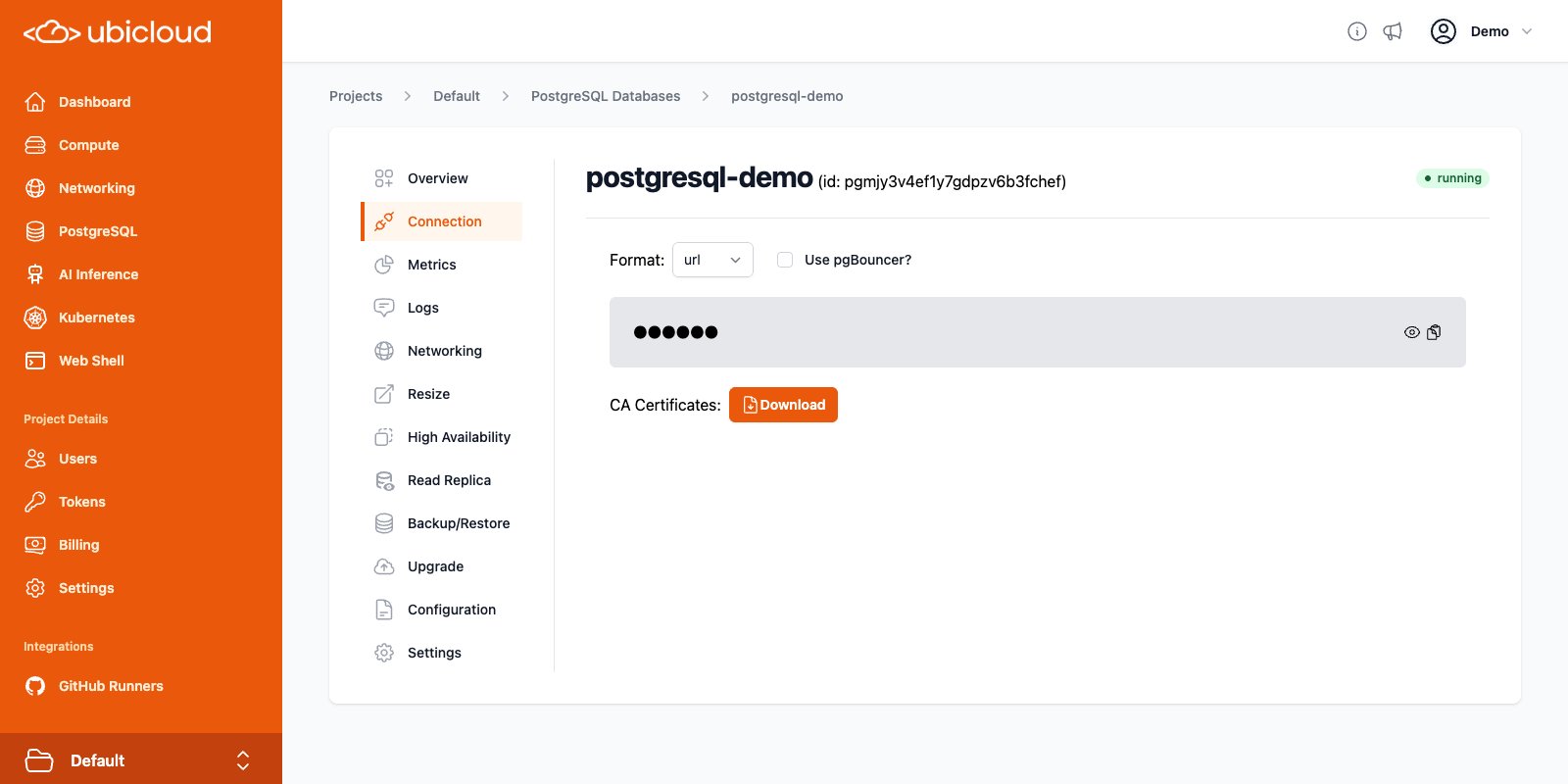
To connect your applications to Ubicloud PostgreSQL, find the connection details
in the Connection view.
Ubicloud Managed PostgreSQL provides superuser access to users. This connection
string provided is for accessing the database as a superuser. You can use it to
create new users.
 ## Connection string
For security reasons, the connection string is masked by default. You can reveal
it or copy it to your clipboard directly. You can view the connection string in
different formats by selecting the desired format from the dropdown.
Supported formats are:
* **URL**: connection URL, in the format `postgres://:@:/`.
* **psql**: `psql` command which can be used in the command line to connect to the databse.
* **env**: connection details as environment variables, useful for connecting
`libpq` based clients.
* **yaml**: connection details in the YAML format.
* **jdbc**: connection details in the JDBC format, for connecting with
Java-based clients.
## PgBouncer
Ubicloud PostgreSQL provides a bundled [PgBouncer](https://www.pgbouncer.org/) instance for server side
connection pooling. PgBouncer helps improve connection management, performance,
and resource utilization for your instance, especially those handling a high
number of connections. To use PgBouncer for your PostgreSQL connections, check
the "Use pgBouncer?" checkbox to obtain the connection string for PgBouncer.
## TLS
Ubicloud PostgreSQL instances are secured with TLS. By default, **TLS v1.3** is
the minimum supported version.
For production workloads, it is recommened that you connect to your instance
using a verified TLS connection. To do this, download the CA certificate bundle
from the Connection view, and add them to your database client's trusted
certificates.
For example, to connect to your PostgreSQL instance with "psql" using a verified
TLS connection, you can add `sslmode=verify-full` and
`sslrootcert=` to the connection string provided:
```bash theme={null}
psql 'postgres://postgres:s3cret@test-pg.postgres.ubicloud.com?sslmode=verify-full&sslrootcert=/home/user/Downloads/postgresql-demo.pem'
```
The CA certificates are valid for 10 years. If you need to renew them, you can
download the new certificates from the database details view.
## Connection string
For security reasons, the connection string is masked by default. You can reveal
it or copy it to your clipboard directly. You can view the connection string in
different formats by selecting the desired format from the dropdown.
Supported formats are:
* **URL**: connection URL, in the format `postgres://:@:/`.
* **psql**: `psql` command which can be used in the command line to connect to the databse.
* **env**: connection details as environment variables, useful for connecting
`libpq` based clients.
* **yaml**: connection details in the YAML format.
* **jdbc**: connection details in the JDBC format, for connecting with
Java-based clients.
## PgBouncer
Ubicloud PostgreSQL provides a bundled [PgBouncer](https://www.pgbouncer.org/) instance for server side
connection pooling. PgBouncer helps improve connection management, performance,
and resource utilization for your instance, especially those handling a high
number of connections. To use PgBouncer for your PostgreSQL connections, check
the "Use pgBouncer?" checkbox to obtain the connection string for PgBouncer.
## TLS
Ubicloud PostgreSQL instances are secured with TLS. By default, **TLS v1.3** is
the minimum supported version.
For production workloads, it is recommened that you connect to your instance
using a verified TLS connection. To do this, download the CA certificate bundle
from the Connection view, and add them to your database client's trusted
certificates.
For example, to connect to your PostgreSQL instance with "psql" using a verified
TLS connection, you can add `sslmode=verify-full` and
`sslrootcert=` to the connection string provided:
```bash theme={null}
psql 'postgres://postgres:s3cret@test-pg.postgres.ubicloud.com?sslmode=verify-full&sslrootcert=/home/user/Downloads/postgresql-demo.pem'
```
The CA certificates are valid for 10 years. If you need to renew them, you can
download the new certificates from the database details view.